Functions, conditions and loops help programs organise work, make decisions and repeat actions. A function groups instructions into a task, a condition checks whether something is true, and a loop repeats instructions across items or while a condition holds.
You use similar ideas when checking a paper to-do list. You look at each item, decide whether it is finished and count the ones still waiting.
A task-list app can follow that same process. This guide uses one example throughout: an app that tells you how many tasks remain unfinished.
Start with a paper checklist
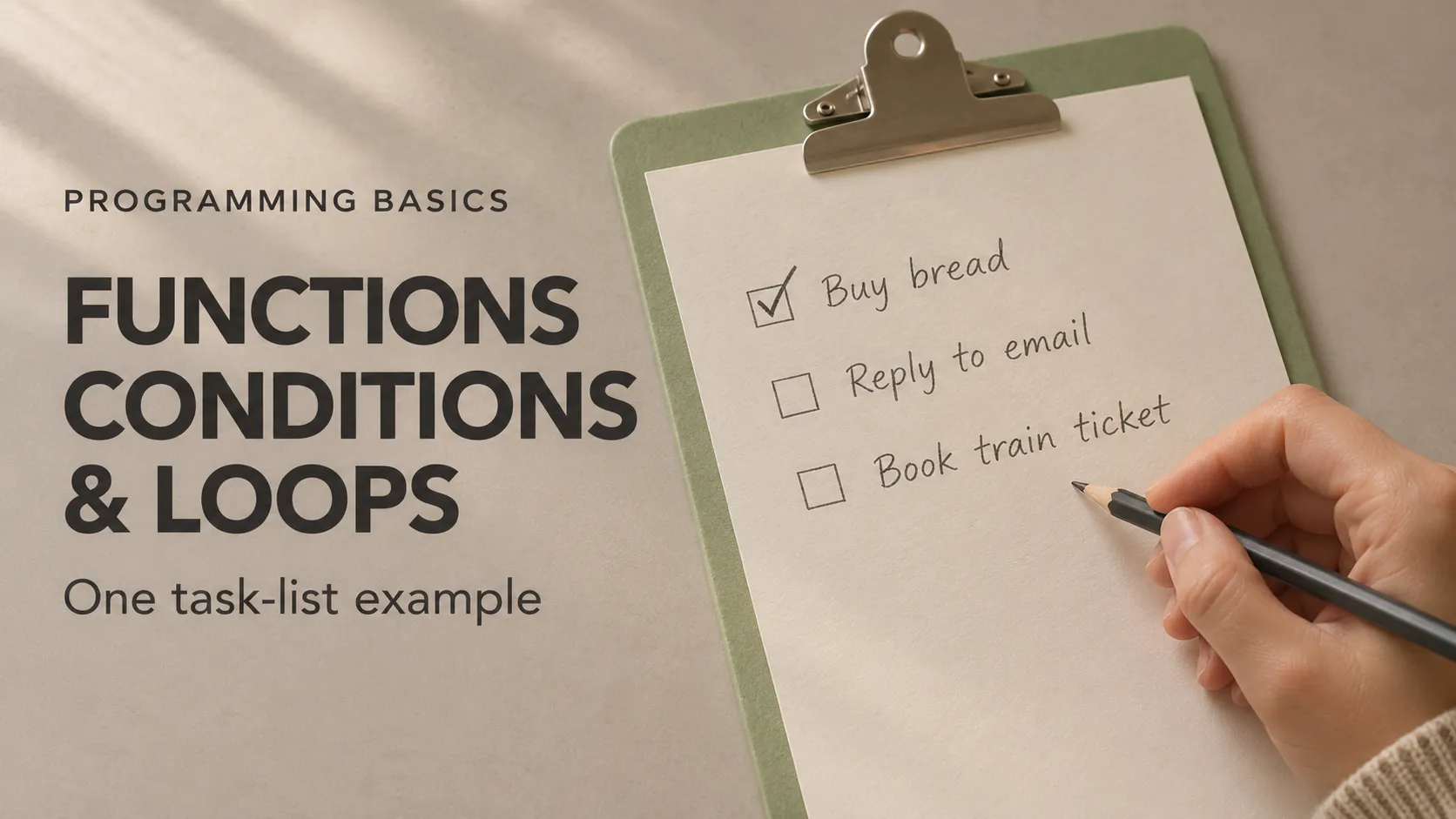
Imagine three tasks written on a piece of paper:
- Buy bread — completed.
- Reply to an email — not completed.
- Book a train ticket — not completed.
You want to know how many tasks remain. A simple method is to start counting from zero, examine each task and add one whenever you find an unfinished item.
After checking all three, your answer is two.
That small routine contains the three programming ideas:
- The function: the named task “count unfinished tasks”.
- The condition: the question “is this task unfinished?”
- The loop: the instruction “check each task on the list”.
The task names and completion statuses are data. If that distinction is unfamiliar, the guide to variables, data types and operators explains how programs represent information.
What is a function in programming?
A function groups instructions into a task that a program can request when needed.
Think of asking someone, “Please count the unfinished items on this checklist.” You name the job rather than explaining every counting step each time.
A function provides a similar way to organise code. Its definition describes the work. Calling the function asks the program to carry out that work.
Input: what the function receives
Our counting function needs a list of completion statuses. That is its input.
A parameter is a name used inside the function to represent an input. The actual value supplied when calling the function is an argument.
In everyday terms, the instruction might say “check this list”. The parameter represents “this list”; the argument is the particular checklist you hand over.
Return value: what the function gives back
The function can return the number it calculated. For our checklist, it returns two.
Returning a value makes it available to the code that called the function. That code can then use the number in a message, calculation or another decision.
Returning a number and displaying it are separate actions. Our counting function finds the answer; another part of the program chooses how to present it.
The official Dart guide to functions explains function definitions, parameters and return values.
What is a condition?
A condition is an expression that can be evaluated to a true-or-false result. A conditional statement uses that result to decide which instructions to execute.
On the paper checklist, the rule is straightforward: if an item is unfinished, add one to the count. Otherwise, leave the count unchanged.
There is another decision after counting:
- If the remaining count is zero, display “No tasks remaining”.
- Otherwise, display the remaining number.
How if and else work
An if statement runs its associated instructions when the condition is true. An optional else provides an alternative when it is false.
This is similar to checking whether an envelope has a stamp. If it does, put it in the outgoing pile. Otherwise, set it aside.
The condition supplies the answer; the conditional statement determines the action. In Dart, an if condition must evaluate to a boolean, as explained in the branching documentation.
What is a loop?
A loop repeats a set of instructions. It can work through items in a collection or continue according to a condition.
When checking the paper list, you perform the same small routine for every item. You do not need separate instructions saying “check task one”, “check task two” and “check task three”.
A loop lets the program express that repeated work once.
A loop can contain a condition
For each task, the app asks whether it is unfinished. The condition determines whether the count increases during that particular pass through the loop.
This distinction matters: the app examines all three tasks, but increases the count only twice.
Examining one item during a pass through the loop is often called an iteration.
Different ways to repeat work
Common loop forms include:
- A for-in loop: visit each item in a collection, such as each completion status in our list.
- A counter-based for loop: repeat while updating a counter, such as visiting positions zero, one and two.
- A while loop: check a condition before each pass and continue while it remains true.
For our task list, a for-in loop is a clear fit because the job is to examine each supplied status. Dart's loop documentation describes these forms.
Describe the app's behaviour before writing code
We can express the counting routine in plain English:
- Receive the list of task completion statuses.
- Start the remaining count at zero.
- Look at each status.
- If the task is not completed, increase the count by one.
- After examining the whole list, return the count.
The app then chooses its message based on that returned number.
Notice that counting and presentation have separate responsibilities. This makes it easier to understand which instructions calculate the answer and which instructions show it.
One complete example in Dart
The example below models that logic in a small console program. It does not draw a mobile screen; it demonstrates behaviour that could support a task counter in an app.
To keep the data simple, the list contains only completion statuses. true means completed, and false means unfinished.
int countRemainingTasks(List<bool> completedTasks) {
  int remainingCount = 0;
for (bool isComplete in completedTasks) {
if (!isComplete) {
remainingCount = remainingCount + 1;
}
}
return remainingCount;
}
void main() {
List<bool> completedTasks = [true, false, false];
int tasksLeft = countRemainingTasks(completedTasks);
if (tasksLeft == 0) {
print('No tasks remaining.');
} else {
print('$tasksLeft tasks remaining.');
}
}
The output is:
2 tasks remaining.The main pieces are:
countRemainingTasksis the function performing the counting job.List<bool>describes a list of true-or-false values.forvisits each completion status.if (!isComplete)checks whether the current task is unfinished. The!operator reverses the boolean value.return remainingCountsends the final count back to the caller.main()starts this program and requests the count.print()displays the selected message.
Follow the example step by step
Reading the execution sequence makes the result easier to understand.
1. The program starts in main
The counting function is defined earlier in the file, but its body does not run merely because the definition appears there.
Execution begins in main(), which creates the list [true, false, false].
2. Main calls the counting function
The call countRemainingTasks(completedTasks) supplies the list to the function.
Inside that call, remainingCount starts at zero.
3. The loop checks the first task
The first status is true, meaning completed. The condition !isComplete is therefore false.
The counting instruction is skipped, and the count stays at zero.
4. The loop checks the second and third tasks
The second status is false, so the task is unfinished. The count increases to one.
The third status is also false. The count increases to two.
5. The function returns the result
There are no more items to visit. The function returns two, and main() assigns that result to tasksLeft.
6. The app selects its message
Two is not equal to zero, so the final conditional follows the else branch and prints “2 tasks remaining.”
The function organised the job, the loop visited the items, and the conditions controlled which actions happened.
Does defining a function make the app update automatically?
No. Defining a function makes its instructions available. The program still needs to call it at the appropriate time.
In a real task-list app, changing a checkbox could trigger logic that recalculates the count and updates the displayed result.
Think of asking someone to recount a paper checklist after you finish another item. The earlier count does not change on its own; the counting work needs to happen again.
The example runs once. It does not include screen-update or data-saving behaviour.
Common mistakes with functions, conditions and loops
Returning before the whole list has been checked
In our counting function, return belongs after the loop. Returning during the first pass would end that function call before later tasks were examined.
It would be like reporting the number of unfinished jobs after reading only the first line of the checklist.
Counting every task instead of unfinished tasks
If the increase happened outside the condition, the function would count every item. With our input, it would return three instead of two.
A loop determines which items are visited. The condition determines whether each visited item contributes to this count.
Repeating without a way to progress
A while loop can continue indefinitely if its condition remains true and nothing exits the loop. A tight, unintended loop can make an application unresponsive.
The for-in loop in this example finishes after visiting the supplied finite list. It does not need a separate instruction to advance an integer counter.
Checking only one successful example
A correct result for one list does not establish that every relevant case works. Empty lists and lists with no unfinished tasks are useful checks too.
Try these changes to the same app
You can experiment with the complete program using DartPad, which lets you work with Dart in a browser.
- Use all completed tasks: change the list to
[true, true, true]. The count should be zero. - Use all unfinished tasks: change it to
[false, false, false]. The count should be three. - Use an empty list: change it to
[]. The loop has no items to visit, and the count remains zero. - Add another unfinished task: use
[true, false, false, false]. The count should become three.
Predict each result before running the program. Explaining why it happens is a better learning exercise than memorising the output.
Frequently asked questions
What are conditionals and loops?
Conditionals choose whether particular instructions run. Loops repeat instructions. They can work together: our loop visits every task, while a conditional decides whether that task increases the unfinished count.
Should I use ++i or i++ in a for loop?
For a simple Dart integer counter used only in the update part of a for loop, either form produces the same sequence of iterations.
For example, these loop headers both visit counter values zero, one and two:
for (int i = 0; i < 3; i++)
for (int i = 0; i < 3; ++i)
They are alternative headers; each needs a loop body to form a complete loop.
Both increase i by one. The difference matters when another expression uses the value produced by the increment:
i++produces the previous value and increments the counter.++iincrements the counter and produces the updated value.
For our task-counting example, a for-in loop avoids the need for an index counter altogether. The Dart operator documentation explains prefix and postfix increments.
What are loop functions?
“Loop function” is not a universal name for a separate programming structure. People may use it to mean a function containing a loop, or a function called repeatedly during iteration.
Our countRemainingTasks function contains a loop. It is still a function; the loop is one part of the work inside it. In a particular library, the phrase may have a more specific meaning.
What is a condition function?
The phrase often means a function that checks a rule and returns true or false. Such a function is commonly called a predicate.
For the same task app, this function checks whether a count indicates unfinished work:
bool hasRemainingTasks(int count) {
  return count > 0;
}
It returns true for two and false for zero. It does not repeat anything by itself; other code can use its answer in a conditional or loop.
Can a function contain both conditions and loops?
Yes. Our counting function contains a loop that visits task statuses and a condition that checks each one. Grouping those steps into a function makes the counting operation available wherever it is needed.
Turning app behaviour into clear requirements
When planning an application, describe the information it receives, the decisions it makes and the work it repeats. Explore Damien Musy's technical expertise to understand how these requirements connect to mobile development, backend systems and product delivery.