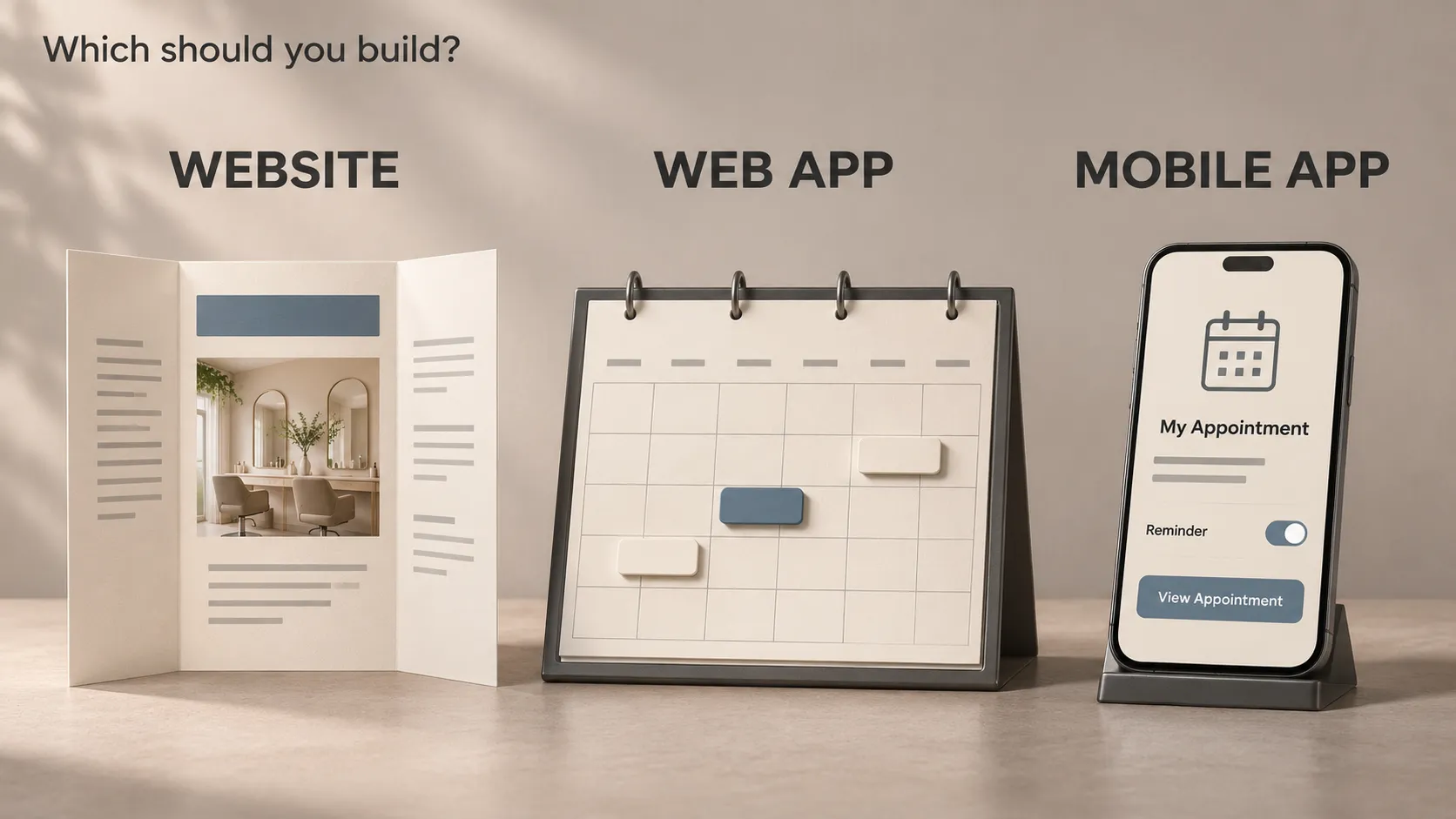
A website usually helps people find and understand information. A web app helps them complete tasks through a browser. A mobile app provides software built for use on mobile platforms such as iOS and Android.
These categories overlap. A website can contain application features, a web app can work on a phone, and some web apps can be installed.
The useful question is what your users need to accomplish, where they will do it and which capabilities the product requires.
We will explore those decisions through one example: a business that wants customers to discover its services and book appointments.
An Everyday Analogy: A Business With Different Service Channels
Imagine a salon with an information board, a reception desk and a dedicated service for regular customers.
- The information board explains services, prices, opening hours and directions. It resembles the main purpose of a business website.
- The reception desk lets someone check availability, choose an appointment and change a booking. It resembles a web application.
- The dedicated customer service could make repeated interactions convenient in a particular context. It resembles the role a mobile app might play.
The business does not automatically need all three digital equivalents. It needs the channels that support how customers actually use the service.
What Is a Website?
A website is a collection of web pages and related resources accessed through a browser, usually under a domain name.
A business website commonly includes:
- Service or product descriptions.
- Pricing information.
- Articles and educational resources.
- Contact details and enquiry forms.
- Examples of previous work.
For the salon, a website could explain the available treatments, introduce the team and help someone decide whether to make an appointment.
Does a Website Have to Be Static?
No. Websites can use a content management system, display changing information and include interactive elements.
A contact form, search function or changing price list does not automatically make the whole product a web app. The distinction usually concerns its main purpose and the work people perform within it.
A website can also incorporate a booking application as part of the same experience.
What Is a Web App?
A web application is software delivered through web technologies and used through a browser. It lets people carry out tasks using application logic and, where needed, stored data.
Examples include document editors, booking tools, project dashboards and customer portals.
For our salon, the web app could let a customer:
- Select a service.
- Check appointment availability.
- Choose a suitable time.
- Enter the necessary contact details.
- Confirm the appointment.
- Return later to manage the booking.
The important difference is the task being performed. The interface participates in delivering the service.
Does a Web App Require an Account?
No. Accounts are useful when a product needs identity, saved information or access to private resources, but they are not part of the definition.
A calculator can be a web application without a login. A booking flow might allow guest bookings.
Add an account when the service needs one. Requiring registration introduces another step that users must complete and the business must support.
What Is a Mobile App?
In this comparison, a mobile app means an application delivered for a mobile operating system such as iOS or Android.
Consumer mobile apps commonly reach users through the App Store or Google Play. They can provide an experience designed around touch interaction, device capabilities and repeated use.
For the salon, an installed app might support appointment management, saved preferences and relevant notifications.
Those features need to provide enough value to justify installation. A customer who books occasionally may prefer opening a link.
Does a Mobile App Work Without the Internet?
Only where the product has been designed to support that behaviour.
An app could display a locally saved appointment while offline. Checking current availability or confirming a new booking may still require a connection to the booking service.
Installation alone does not make server-dependent features available offline.
What Is a Progressive Web App?
A progressive web app, or PWA, uses web technologies while offering capabilities associated with installed applications.
Depending on its implementation and the platform, it can support installation, cached content, selected offline operations and notifications.
A PWA remains a web application. Installation changes how people can access it; it does not turn its implementation into a platform-specific mobile application.
For the booking service, a PWA might provide convenient access to saved appointment information. Confirming a new appointment would still depend on the underlying service.
Check the capabilities you need on the actual browser and operating-system combinations your audience uses. The label “PWA” does not guarantee identical behaviour everywhere.
MDN’s introduction to progressive web apps explains these capabilities.
Can Web Apps Use the Camera, Location or Notifications?
Yes, supported web APIs provide access to capabilities including camera input and geolocation, subject to permissions and platform requirements.
It would therefore be misleading to choose mobile solely because someone says, “Web apps cannot use the camera.”
The practical questions are more specific:
- Does the required capability exist on the browsers being targeted?
- Does it support the exact interaction the product needs?
- What happens when permission is refused?
- Does the feature need to operate while the interface is not active?
- Is its performance suitable on representative devices?
Taking an occasional photograph and supporting a demanding video workflow are different requirements. Test the required behaviour rather than deciding from a feature name.
Native, Cross-Platform and Hybrid Mobile Apps
Mobile apps can be built using different approaches.
Platform-Specific Development
The interface and platform integration are developed using the tools and frameworks of the target operating system.
This gives the team direct access to that platform’s development model. Supporting another platform requires considering its implementation and maintenance as well.
Cross-Platform Development
A framework allows substantial application code to be shared across platforms.
Flutter uses Dart and can support iOS and Android applications from a shared codebase. Platform-specific integrations, configuration and testing may still be required.
Flutter mobile apps use Flutter’s rendering architecture. They are not simply websites displayed inside a browser container.
WebView-Based Hybrid Development
This approach places a web-based interface inside an installed application container. Integrations can connect that interface with supported device capabilities.
Cross-platform and hybrid are sometimes used loosely. When evaluating a proposal, ask how the interface runs, how device features are accessed and which code is shared.
Flutter’s technical FAQ explains its execution and platform support.
One Business Can Use All Three
The salon could eventually operate:
- A public website for service information and discovery.
- A customer web app for bookings through a link.
- A mobile app for customers whose recurring needs justify it.
- A browser-based administration tool for staff managing appointments.
These interfaces can share a backend: the services that manage data and business operations behind the screens.
For example, both customer interfaces could use the same booking API and appointment database. The API is the defined way they request availability or submit a booking.
Sharing those services can reduce duplicated business logic. It does not eliminate the work of designing, testing and maintaining each interface.
An AI feature can also be delivered through a shared service. Adding recommendations or an assistant does not, by itself, determine whether the customer interface should be web or mobile.
Which Option Helps People Find You?
Public web pages can help people discover services through search, shared links, social media campaigns and other websites.
A web app can also expose useful public content. Its search visibility depends on whether that content can be accessed, crawled and rendered appropriately.
Private account information and public service pages have different discovery purposes. Treat them accordingly.
A mobile app introduces app-store discovery and an installation decision. A public website may still explain its value and help people decide to download it.
Google’s JavaScript SEO guidance explains considerations for discoverable web applications.
Choose the acquisition path separately from the product interface. A useful mobile product may still need a website; a searchable website may still need a booking application.
How Updates and Maintenance Differ
For a website or web app, the team generally deploys changes to its hosted environment. Users access the deployed product through their browsers.
That still requires testing, browser compatibility checks and attention to cached or already-open versions.
Installed mobile client updates commonly involve packaging, distribution and release processes. Users may continue running older versions, so supporting services need to account for that.
For every option, plan the ongoing work:
- Hosting and third-party services.
- Dependency and platform updates.
- Monitoring and issue resolution.
- Data maintenance and backups where applicable.
- Accessibility and device testing.
- Support for the people using the product.
The delivery method changes some responsibilities. It does not remove the need to operate the service.
Is a Website Always Cheaper Than an App?
No. Cost depends on scope and complexity.
A small service website and a real-time collaboration platform are both delivered through browsers, but their development requirements are very different.
A focused mobile utility can also have a narrower scope than a large web application.
Compare proposals using the same requirements:
- Which users and tasks are included?
- What integrations are required?
- Which platforms and devices must be supported?
- What offline behaviour is necessary?
- What administration and support processes are included?
- What does ongoing operation require?
A price comparison becomes useful when those assumptions are visible. A universal cost multiplier for “web versus mobile” hides too much.
What Should You Build First?
Start With a Website When the Main Need Is Information
If customers need to understand the service and make an enquiry, a clear website may be sufficient.
For the salon, that could mean accurate service descriptions, opening hours and a reliable contact route. Building a custom booking engine is a separate decision.
Start With a Web App When a Browser Supports the Core Task Well
If the goal is to book an appointment through a shared link, a responsive web application may provide a suitable starting point.
Customers can access it without first deciding to install software. Staff may also benefit from browser-based administration.
Start With Mobile When the Core Value Depends on the Mobile Experience
A field tool, camera-centred workflow or device-integrated utility may need a mobile implementation early.
If the essential value cannot be represented adequately in a browser-based experiment, validating only a web version could answer the wrong question.
Begin with a narrow technical experiment or mobile release that tests the actual requirement.
Consider a PWA When Its Supported Capabilities Fit
A PWA can be useful when web delivery fits the task and installation or selected offline features add value.
Evaluate the target platforms before treating it as a substitute for an installed mobile application.
Write a Decision Brief Before Choosing a Framework
Document the following for the first release:
- User: who needs the product?
- Task: what meaningful outcome must they achieve?
- Context: where, how often and on which devices will they use it?
- Required capabilities: what must work, including offline or device interactions?
- Entry route: how will people reach the product?
- Evidence: which assumptions have been tested?
- Success measure: what behaviour would demonstrate that the release is useful?
For the salon, completed bookings and successful appointment changes may be more informative than the number of app downloads.
Map the core task before expanding the feature list. The approach in user flows and screen states helps expose the steps and recovery paths each delivery option must support.
Frequently Asked Questions
Is a mobile-friendly website a mobile app?
No. A responsive website adjusts its presentation for the available space. It remains web content accessed through a browser, although additional PWA capabilities can support installation.
Can one product include a website and a web app?
Yes. Public information and task-based features can coexist under the same domain and share supporting services.
Does a mobile app automatically perform better?
No. Performance depends on the workload, implementation, device and supporting services. Test the operations that matter to the product.
Should every business eventually build a mobile app?
No. Add an interface when it provides a clear benefit for users and the business can support it. Some services work well through websites and browser-based tools.
Choose the Delivery Method Around the Product
If you are deciding how to launch an MVP, I can help clarify the core user journey, test technical requirements and define a practical development scope. Explore my mobile development and technical expertise to see how I can support your project.